
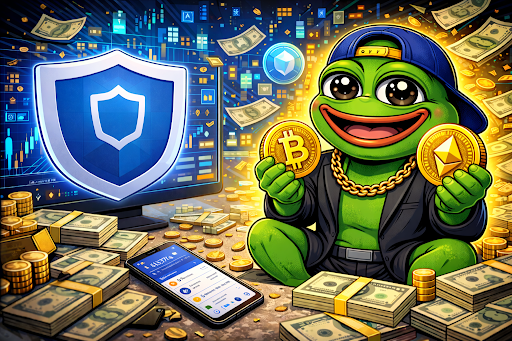
Pepe (PEPE) continues to dominate the meme coin market in 2026, attracting both new and seasoned crypto investors. If you want to add PEPE to your portfolio safely, Trust Wallet is one of the easiest and most secure ways to do so. This guide walks you through each step — from setting up your wallet to completing your first Pepe purchase — so even beginners can follow along.
What Is Pepe (PEPE)?
Pepe is an Ethereum-based meme coin inspired by the iconic internet frog meme. It has quickly become one of the most actively traded meme tokens thanks to its strong community following and viral appeal. Being an ERC-20 token, Pepe can be stored in any Ethereum-compatible wallet, including Trust Wallet.
Pepe differs from traditional cryptocurrencies because its value and adoption are largely driven by community hype and cultural relevance, although its growing presence on decentralized exchanges is increasing liquidity and accessibility.
Why Use Trust Wallet?
Trust Wallet is a mobile, non-custodial wallet that supports Ethereum and multiple other blockchains. Key benefits include:
- Full control of your private keys
- Direct access to decentralized exchanges (DEXs)
- Ability to store, send, and receive ERC-20 tokens like Pepe
- Built-in Web3 browser for interacting with dApps
Trust Wallet is ideal for buying Pepe because it allows seamless access to DEX platforms like Uniswap without needing a centralized exchange.
Step-by-Step Guide to Buying Pepe on Trust Wallet
Step 1: Download and Set Up Trust Wallet
- Install Trust Wallet from the official app store.
- Create a new wallet.
- Write down the 12-word recovery phrase and store it offline.
- Enable security features like PIN code or biometric authentication.
Never share your recovery phrase with anyone. Losing it could result in permanent loss of funds.
Step 2: Add Ethereum (ETH) to Your Wallet
Since Pepe is an ERC-20 token, you need ETH to purchase it and cover transaction fees.
You can:
- Buy ETH directly inside Trust Wallet
- Transfer ETH from another wallet or exchange
Make sure to leave some ETH for gas fees.
Step 3: Connect Trust Wallet to a Decentralized Exchange
To buy Pepe, you need to swap ETH for the token via a DEX:
- Open the Trust Wallet app and tap DApps or Browser.
- Navigate to a decentralized exchange like Uniswap or Sushiswap.
- Connect your wallet to the DEX by following the prompts.
Once connected, you can swap ETH for PEPE tokens.
Step 4: Import the Pepe Token
Some DEXs require manual token import to display meme coins correctly:
- Copy the official PEPE contract address.
- In the Trust Wallet, open the DApp swap page.
- Select Add Custom Token and paste the contract address.
Once imported, PEPE will appear as an available token for swapping.
Step 5: Swap ETH for Pepe
- Select ETH as the payment currency.
- Select PEPE as the token you want to receive.
- Enter the amount of ETH you want to swap.
- Review estimated gas fees and slippage tolerance.
- Confirm the swap in Trust Wallet.
The transaction will process on the Ethereum blockchain. Once confirmed, your PEPE tokens will appear in your wallet.
Step 6: Add Pepe to Your Wallet (If Not Visible)
If PEPE does not automatically appear:
- Open Trust Wallet.
- Tap Add Tokens → Custom Token.
- Paste the PEPE contract address and select Ethereum as the network.
- Confirm to display your balance.
Safety Tips When Buying Pepe
- Always verify the official PEPE token contract to avoid scams
- Avoid clicking unknown social media links
- Confirm swap details and slippage tolerance before confirming
- Only invest what you can afford to lose
Meme tokens like PEPE are highly volatile. Proper wallet setup and verification are crucial for safe trading.
Gas Fees and Slippage
- Gas Fees: Paid to Ethereum validators, fees vary based on network activity
- Slippage: Price difference between expected and actual swap; meme coins can be volatile, so adjust tolerance as needed
Why Trust Wallet Is a Popular Choice for Pepe
Trust Wallet offers:
- Direct DEX integration for swapping tokens
- Non-custodial security
- Support for multiple chains
- A beginner-friendly mobile interface
This makes it easier for new users to safely acquire PEPE tokens.
Conclusion: Buying Pepe the Smart Way
Buying Pepe with Trust Wallet in 2026 is straightforward once you know the steps: set up your wallet, secure ETH, connect to a DEX, import the token, and swap safely. Following this guide ensures your first PEPE purchase is secure, efficient, and ready for active participation in the meme coin ecosystem.