
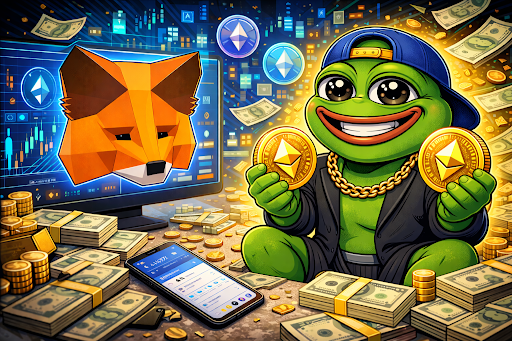
Buying Pepe (PEPE) has become one of the most searched crypto queries in 2026 as meme coins continue to dominate retail interest. Whether you are new to crypto or simply looking to add PEPE to your portfolio, using MetaMask remains one of the easiest and most secure ways to purchase and store the token.
In this guide, we break down the process into simple, easy-to-follow steps — from setting up MetaMask to safely completing your first PEPE transaction.
What Is Pepe (PEPE)?
Pepe is an Ethereum-based meme coin inspired by the iconic internet frog meme. Since its launch, PEPE has grown into one of the most actively traded meme tokens in the crypto market. Unlike traditional cryptocurrencies focused on infrastructure or payments, PEPE thrives on community strength, trading momentum, and meme culture.
Because PEPE operates as an ERC-20 token, it can be stored and traded directly through Ethereum-compatible wallets like MetaMask.
What Is MetaMask?
MetaMask is a non-custodial crypto wallet that allows users to store, send, receive, and swap Ethereum-based tokens. It is available as a browser extension and mobile app and is widely used for interacting with decentralized exchanges (DEXs).
MetaMask gives you full control of your private keys — meaning you control your funds at all times.
Step 1: Download and Set Up MetaMask
- Install MetaMask via the official browser extension or mobile app.
- Create a new wallet.
- Securely write down your 12-word recovery phrase and store it offline.
- Set a strong password.
Never share your recovery phrase with anyone. Whoever has access to it controls your wallet.
Step 2: Add Ethereum (ETH) to Your Wallet
Because PEPE runs on Ethereum, you will need ETH to purchase it and cover gas fees.
You can add ETH by:
- Buying directly inside MetaMask
• Transferring ETH from a centralized exchange
• Sending ETH from another wallet
Make sure you leave a small amount of ETH in your wallet to cover transaction fees.
Step 3: Connect MetaMask to a Decentralized Exchange
To buy PEPE, you’ll need to connect your wallet to a decentralized exchange such as:
- Uniswap
• SushiSwap
Steps:
- Visit the DEX platform.
- Click “Connect Wallet.”
- Select MetaMask.
- Approve the connection.
Once connected, your wallet balance will appear on the exchange interface.
Step 4: Import the Official PEPE Token
To avoid scams, always verify the correct PEPE contract address before importing.
Inside the DEX:
- Click “Select Token.”
- Paste the official PEPE contract address.
- Confirm the import.
After importing, PEPE will appear in your swap options.
Step 5: Swap ETH for PEPE
- Select ETH in the “From” field.
- Select PEPE in the “To” field.
- Enter the amount of ETH you want to swap.
- Review estimated gas fees.
- Confirm the swap in MetaMask.
Your transaction will process on the Ethereum blockchain. Once confirmed, PEPE tokens will appear in your wallet.
Step 6: Add PEPE to MetaMask (If Not Visible)
If PEPE doesn’t automatically display:
- Open MetaMask.
- Click “Import Tokens.”
- Paste the PEPE contract address.
- Confirm.
Your balance should now be visible.
Important Safety Tips When Buying PEPE
Buying meme coins requires extra caution. Follow these best practices:
- Always verify the official contract address
• Never click unknown links sent via social media
• Avoid approving unlimited token spending unless necessary
• Double-check transaction details before confirming
Meme tokens are highly volatile. Only invest what you can afford to lose.
Gas Fees and Slippage Explained
Because PEPE is traded on Ethereum, you must account for:
Gas Fees:
Transaction fees paid to Ethereum validators. Fees fluctuate based on network congestion.
Slippage:
The difference between expected and executed price. Meme coins often require slightly higher slippage due to volatility.
If a transaction fails, try adjusting slippage tolerance slightly upward.
Is Buying Pepe on MetaMask Safe?
Using MetaMask is generally safe when:
- You control your private keys
• You verify token contracts
• You avoid phishing sites
Since MetaMask is non-custodial, security ultimately depends on user behavior.
Why Many Investors Prefer Buying PEPE Through MetaMask
Many traders prefer decentralized exchanges over centralized platforms because:
- No KYC requirements
• Full wallet control
• Immediate token custody
• Early access to new meme projects
MetaMask provides flexibility and direct access to DeFi ecosystems.
Final Thoughts: Buying Pepe the Smart Way in 2026
Buying Pepe through MetaMask remains one of the simplest ways to gain exposure to one of the market’s most recognizable meme coins. By following the steps above carefully — setting up your wallet, securing ETH, connecting to a DEX, and verifying the correct contract — you can complete your purchase safely and efficiently.
As with all meme coins, volatility remains high. But for investors who understand the risks, PEPE continues to be one of the most searched and actively traded tokens in 2026.